
The Ravelry Sync is here!
Mr. Haak Maar Raak has been very busy with this feature, we've spent a couple of days testing it and now you can use it too: the Ravelry synchronisation is available for anybody with a Haak Maar Raak account!
This means that you can have patterns that you bought on Haak Maar Raak saved in your Ravelry Library. Convenient, if you like your patterns in one place and/or are a very active Raveler! To synchronise your patterns to Ravelry, you need to link your Ravelry and Haak Maar Raak account. To do so is easy.
How to sync
1. Go to your Haak Maar Raak account via the account-link in the main menu, and click 'Connect to Ravelry' under 'Accounts'.
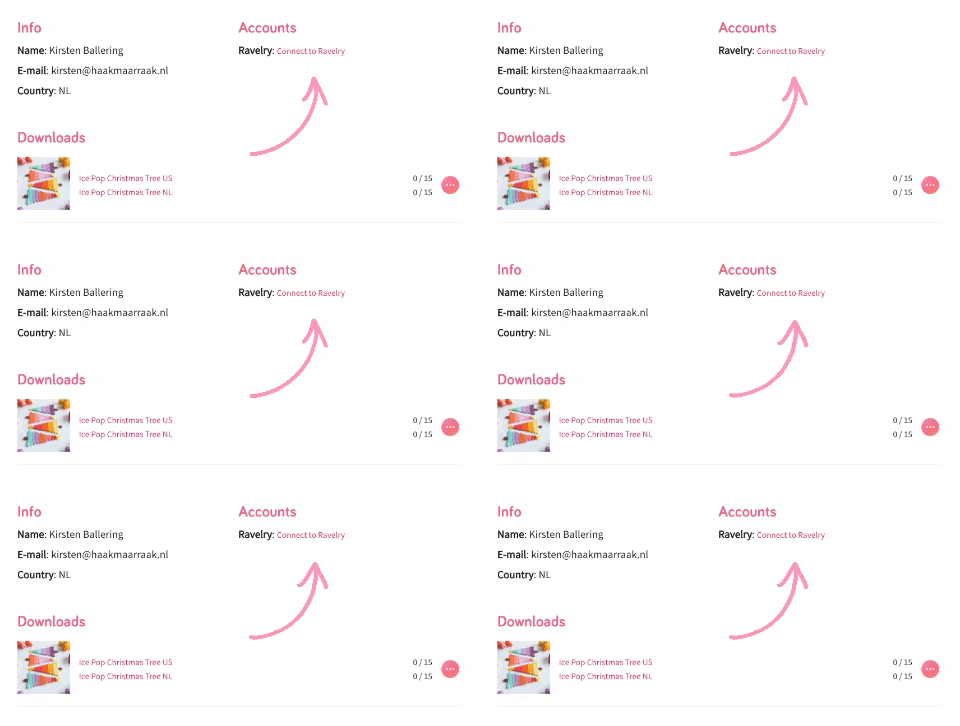
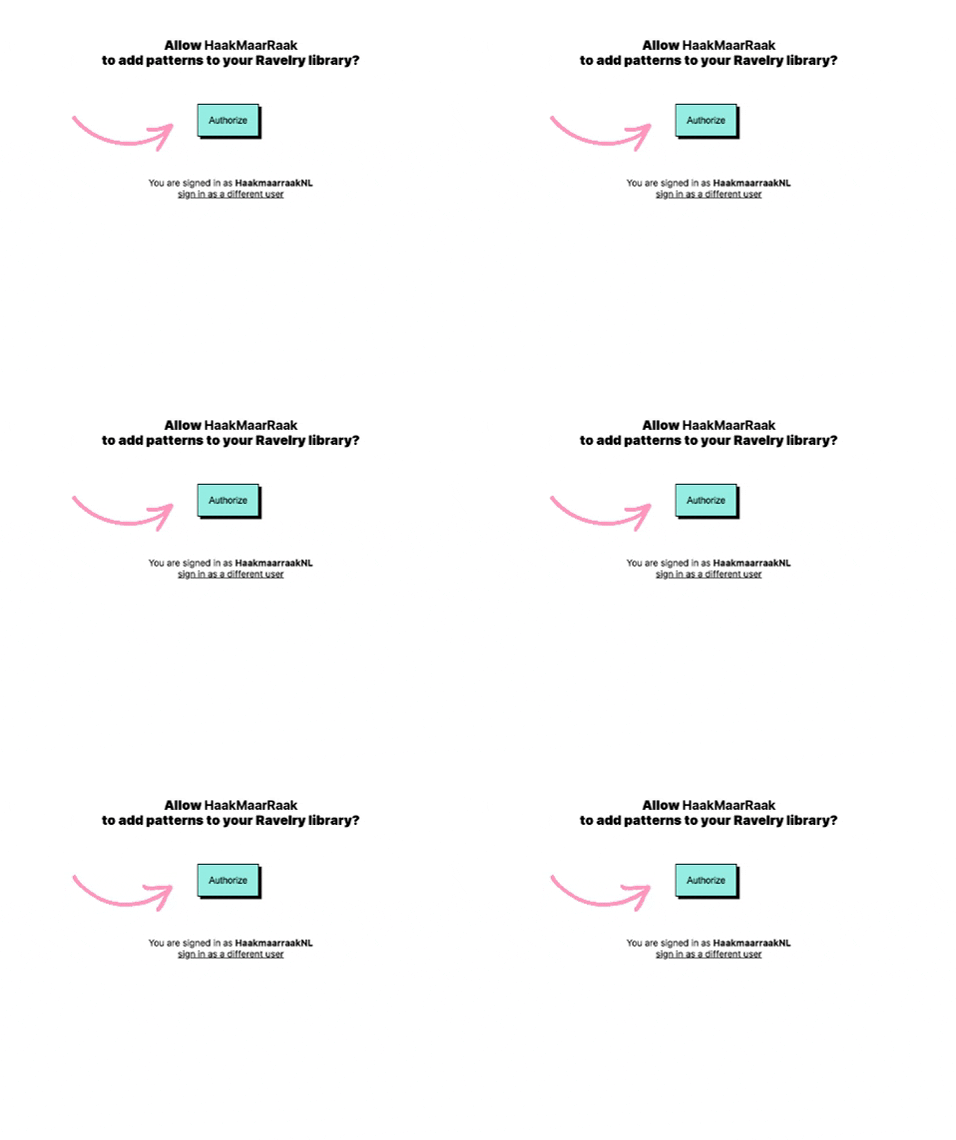
2. You'll now be redirected to Ravelry and see the screen below. This screen asks you to allow Haak Maar Raak to add patterns to your Ravelry library. Don't worry, that's really the only thing we can (and will) do. Haak Maar Raak does not have any access to personal information from your profile or library. Click 'Authorize' to allow this. This establishes a connection and allows Haak Maar Raak to place a pattern in your library.
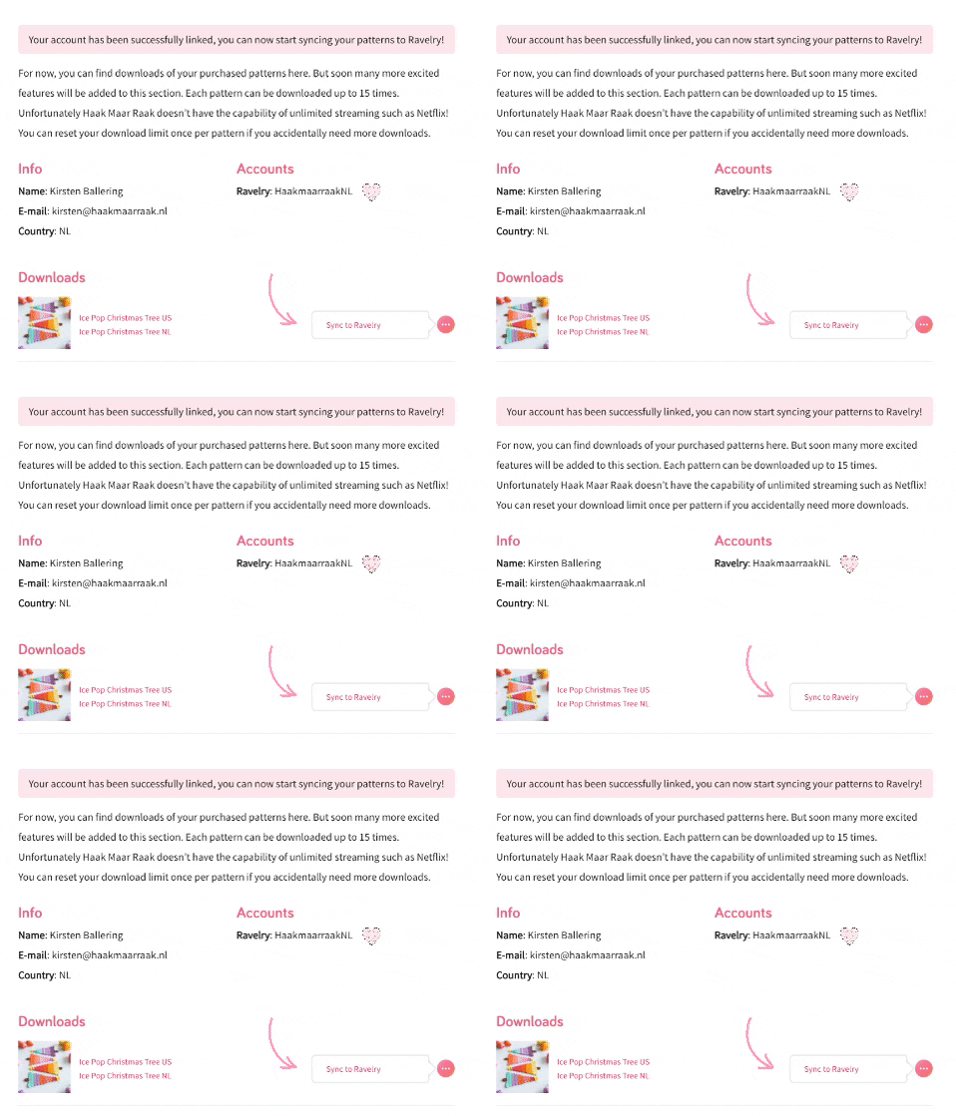
3. You can now click the pink button on the right side of a pattern and select 'Sync to Ravelry'. This will start the sync immediately.
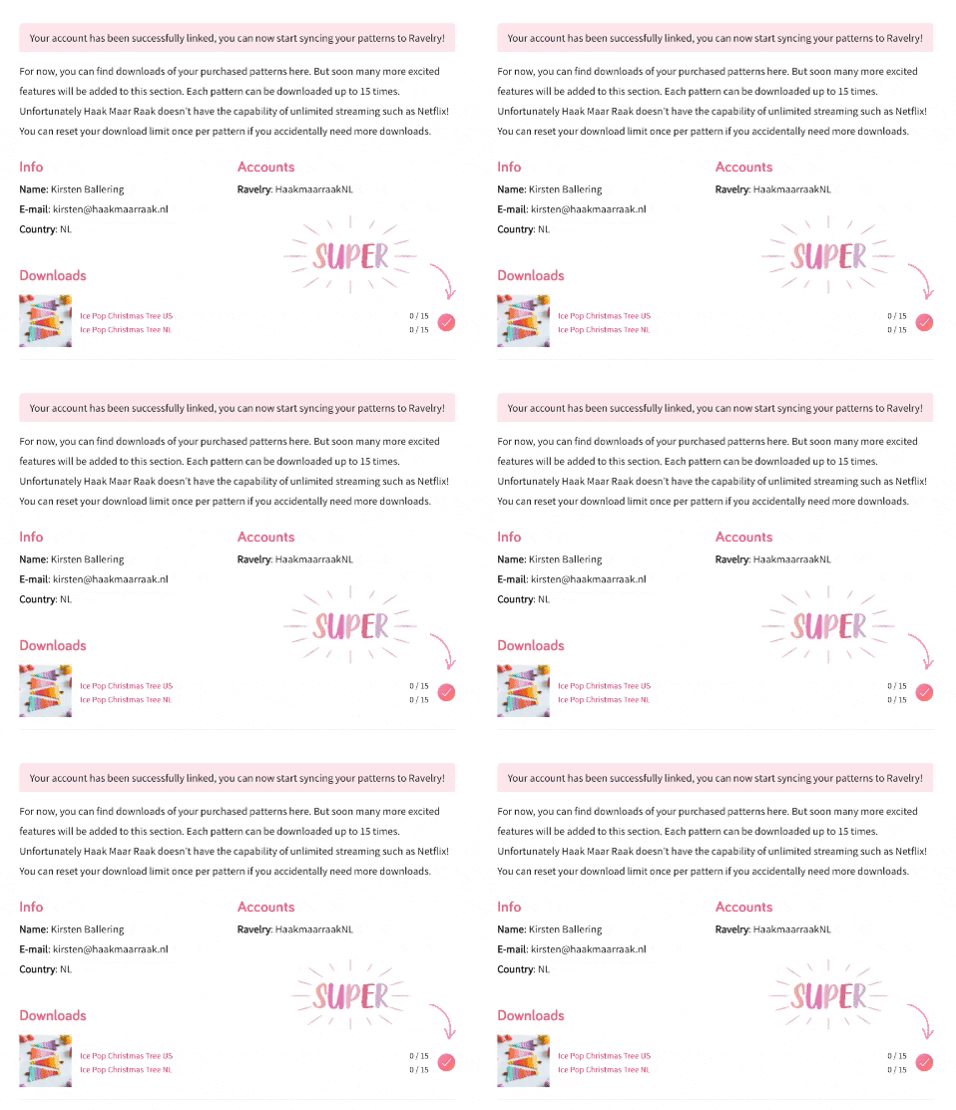
4. When the sync has completed, the sync button will show up as a checkmark. Repeat step 3 for every pattern you want to sync. That's all!
And while you're at it...
Did you know that you can also reset your download limit via your Haak Maar Raak account? When you purchase a pattern, you can download your pattern up to 15 times (meaning you can save it 15 times if need be).
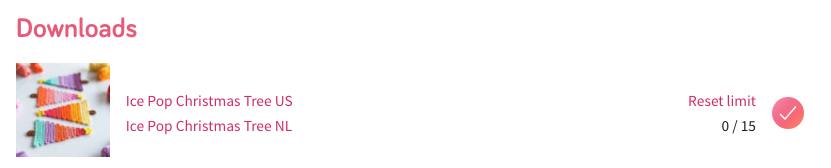
When you've reached your download limit, you can now reset this limit one time. You can do so with the 'reset limit' button as shown in the screenshot below. Please note this is a one-time thing, you can't indefinitely reset your download limit. So make sure to download your pattern to a device (or sync it to your Ravelry library).
Comments
Be the first to comment to this post!